If you’re a movie buff, chances are you might have used subtitles to watch movies that are unavailable in your native language. The debate between subtitles and dubbed is eternal and never-ending. A lot depends upon users’ personal choices whether to watch a dubbed movie or add subtitles to movies and TV shows.
There are several websites on the internet offering subtitles in multiple languages for movies and shows. Most of the subtitles available on such websites are fanmade or ripoff from copyrighted content. The process of generating subtitles by fans is called “fansubbing.”
The term is quite popular amongst anime lovers. The role of a fansubber involves translation, subtitling, and distributing the subtitles. Since subtitles are not generally offered by the copyrighted content owners, they fall under the category of pirated content.
If you’re wondering whether subtitles are illegal to use, we have provided you a answer to it.
Are Subtitles Illegal? Apparently, Yes.
According to a court order passed by the Amsterdam District Court in 2017, subtitles are illegal unless created and distributed after obtaining permission from the original content holder. Anyone generating subtitles without obtaining the required permission could be punished under copyright infringement, as per the court order.
Similar legal barriers could be in place in other regions as well. Thus, subtitles are illegal and could land you behind bars, or you’ll need to pay a fine for using illegally generated subtitles.
For a long time, fansubbers have received harsh criticism from anti-piracy groups and copyright content creators. BREIN, an anti-piracy group hailing from the Netherlands, has been at the forefront of the fight against fansubbers and subtitles. The group has forced several subtitles creators to shut down their shop.
However, in 2017, a group called “Free Subtitles Foundation” (Stichting Laat Ondertitels Vrij – SLOV) decided to fight BREIN in the Netherland court against its campaign targeting fansubbers.
Surprisingly, the court sided with BREIN and issued an order stating that subtitles are illegal if generated/circulated without permission from the original content creator.
After the decision, BREIN director Tim Kuik said, “With this decision in hand it will be easier for BREIN to maintain its work against illegal subtitlers and against sites and services that collect illegal subtitles and add movies and TV shows from an illegal source.”
Everything is not gloomy though, Netflix and Youtube encourage publically sourced subtitles to make it easy for deaf users and those who are keen on watching foreign language shows and movies.
But, the order by the Dutch court very well means that subtitles are indeed illegal and it could have implications for fansubbers around the world.
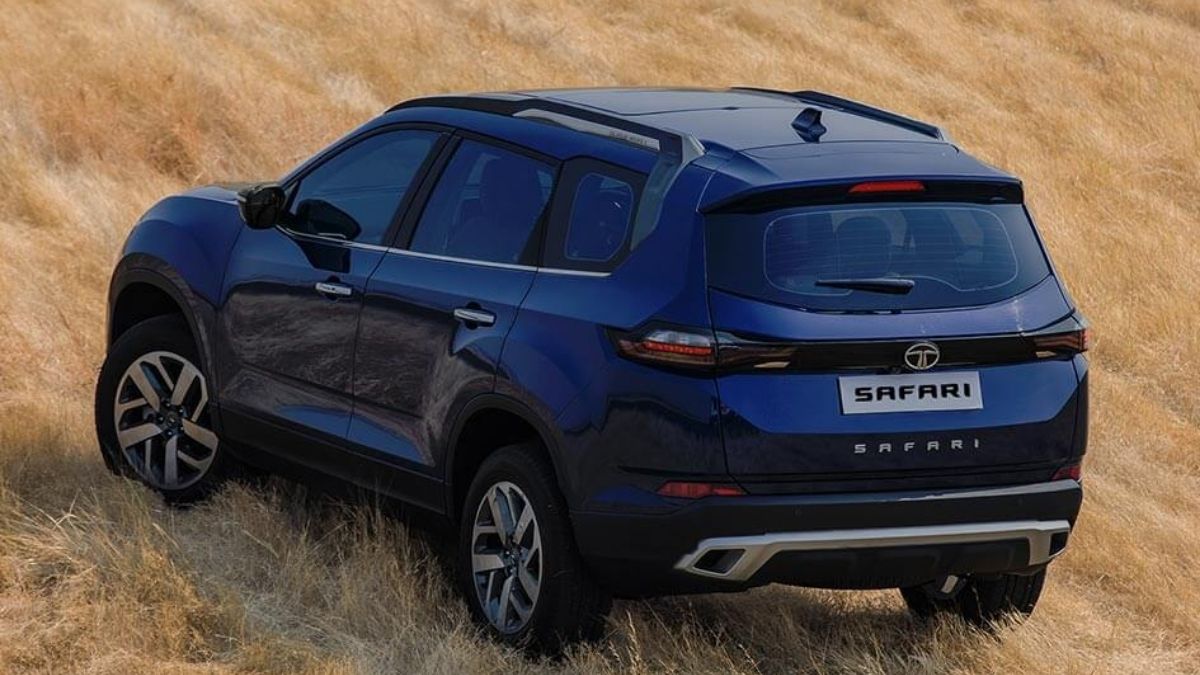
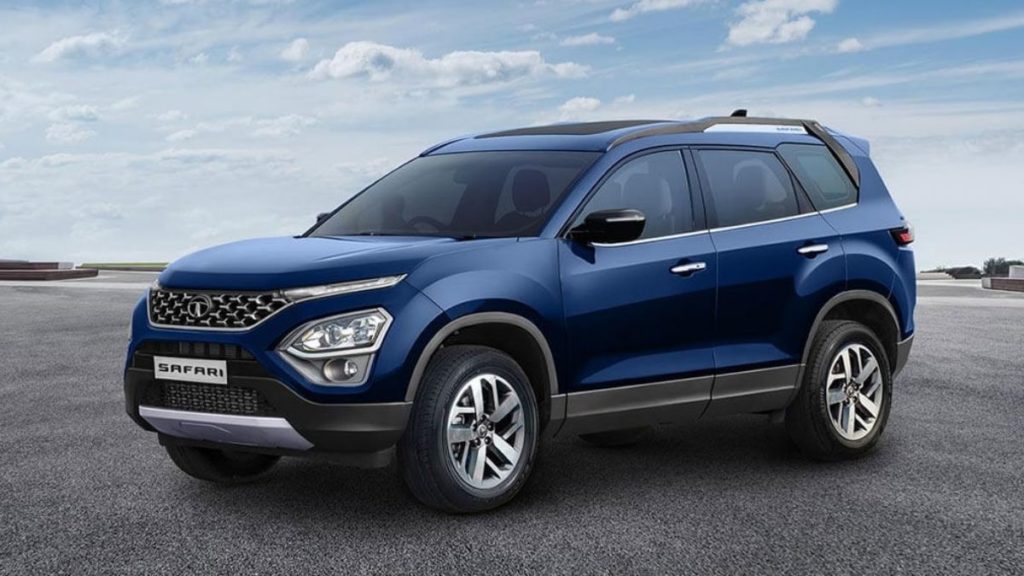
The iconic SUV ‘Tata Safari’ by Indian automaker Tata Motors is going to relaunch in the first week of February 2021.
For many automotive enthusiasts, Tata Safari holds a special spot in their hearts. Along with this, Tata Motors has significantly excelled in automotive technology in the past few years.
For the same reason, the anticipation among the masses is now even greater for its comeback.
Though the 2021 Tata Safari is set to launch next week, the automaker has already revealed its specs and details on its official website.
Hence, let’s discuss why it’s worth considering if you are planning to buy Tata Safari in 2021.
Before we move ahead, let me tell you that Tata Safari is an extended version of Tata Harrier. Also, prior to the announcement of Tata Safari, it was being advertised as Tata Gravitas.
Anyway, coming back to the topic. Here are the reasons 2021 Tata Safari is one of the best SUVs on the market.
1. Built On Land Rover Platform
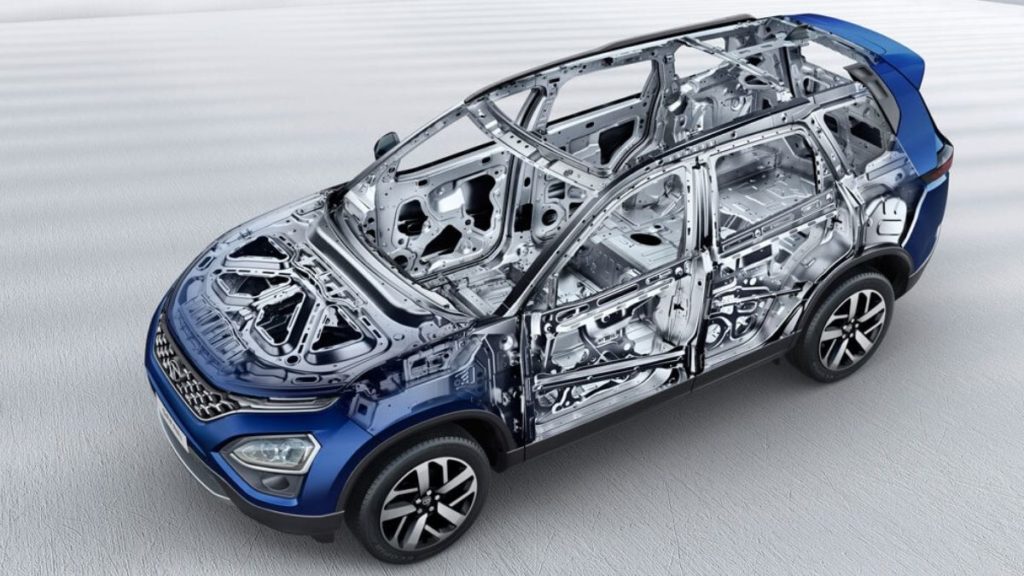
Tata Safari is built on OMEGARC architecture which is derived from the D8 platform of legendary SUV Land Rover.
The structure itself ensures the topmost built quality among the SUVs of this segment. In addition, it’ll also enhance the overall ride quality.
2. Sheer Performance Of An SUV
Image: Tata Motors
The 2021 Tata Safari will get its power from the Kryotec 2.0-liter Turbocharged BS6 Diesel engine. It’s capable of churning out 167.6 BHP and 350 Nm of torque, making it one of the most powerful engines.
It’s the same engine that powers its not so little brother Tata Harrier.
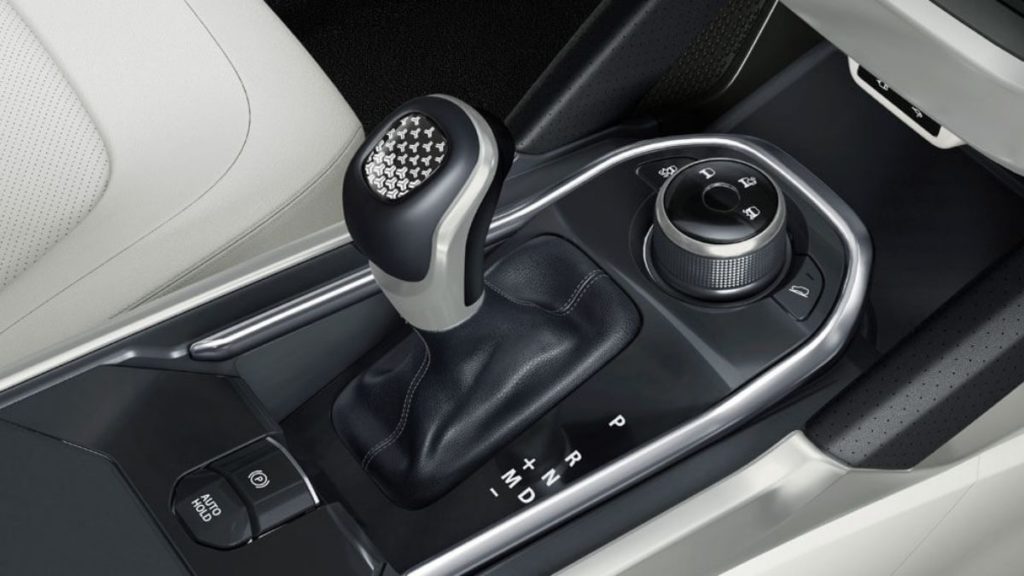
The engine meshes with six-speed automatic transmission. One of the most impressive features is that there are different driving modes based on your mood as well as road conditions.
You can choose different modes depending on the terrain. For example, you can choose between Normal, Rough, and Wet mode based on driving conditions.
Similarly, you can shift on to Sports, City, or Eco mode depending on your mood.
3. Luxurious And Comfortable Interior
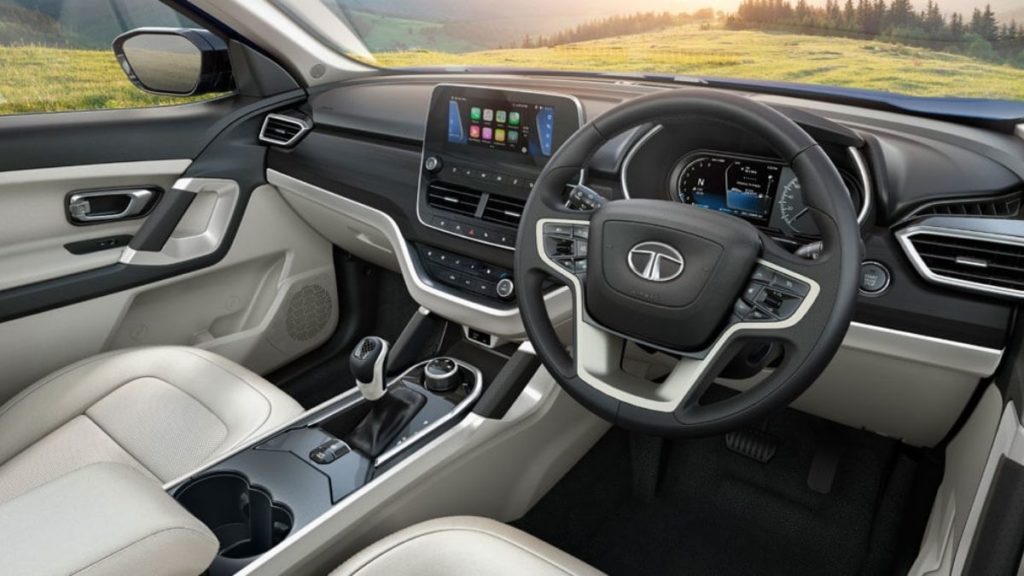
Being the flagship car in the portfolio of Tata Motors, Safari received top-notch interior detailing.
One of the most striking features is its signature oyster white interior color theme. Along with that the seats are wrapped in white perforated leather to enhance its premium appeal.
Moreover, the Ashwood dashboard, floating display, two captain seats, iRA- the vehicle connectivity technology, 9 JBL speaker sound system, and best in segment panoramic sunroof altogether makes a great package.
Also, the multiple utility spaces and charging port in each row makes the 2021 Tata Safari more comfortable than ever before.
4. Spacious: Feel More Room Inside Cabin
Image: Tata Motors
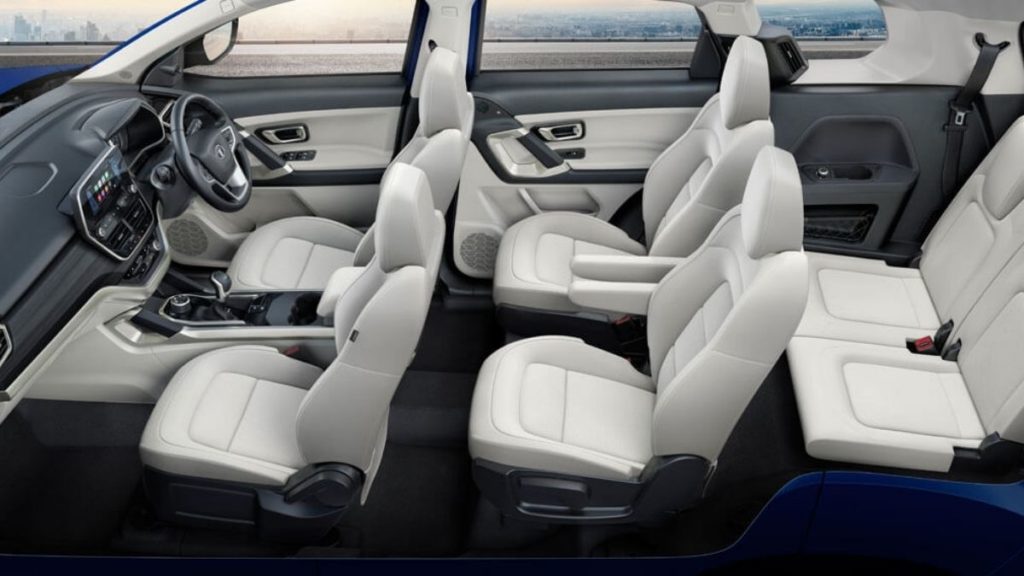
If we talk about the interior space, then both front and second-row seem to have ample space. The third row as usual in all SUVs of this segment is a bit congested, however, it looks sufficiently comfortable for short trips.
Also, the new Safari is a bit longer as well as wider, which also confirms the extra space. Here’s a comparison of the dimensions of the Tata Safari Storme (old model) and the new one.
S.No.
Dimensions
2021 Tata Safari
Tata Safari Storme (old)
1.
Length
4661 mm
4655 mm
2.
Width
1894 mm
1855 mm
3.
Height
1786 mm
1922 mm
5. Paramount Safety Of 2021 Tata Safari
Needless to say, Tata Motors is the safest automaker in India. The entry-level car Tata Tiago of the automaker holds a four-star safety rating in Global NCAP crash tests.
Although the new Tata Safari is not crash-tested yet, we are pretty much sure that it’ll score no less than five stars.
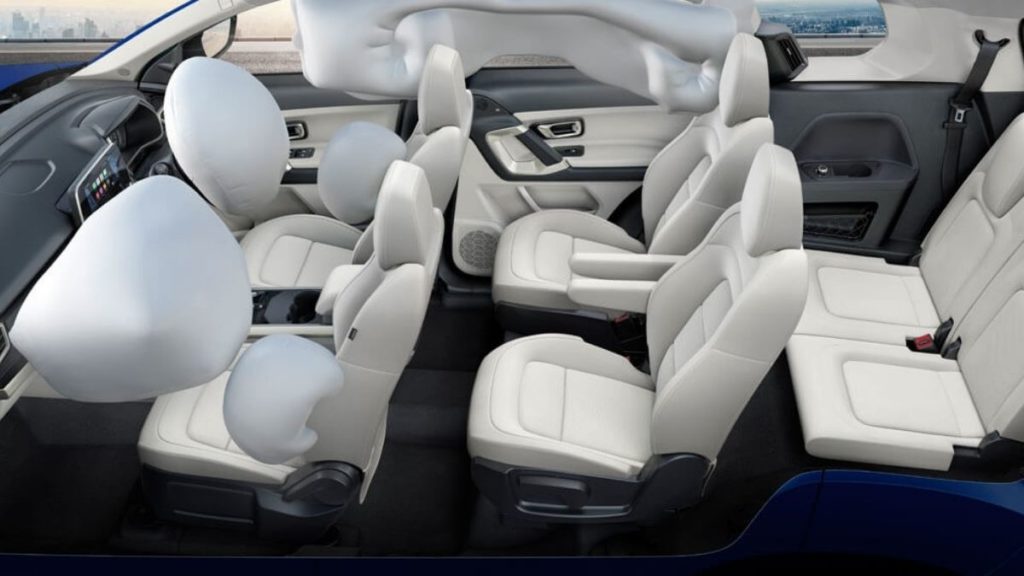
Anyway, the 2021 Tata Safari is equipped with ESP with 14 additional functionalities.
Apart from this, features like six airbags, all-disc brakes, hill-hold and hill descent control, TPMS, child seat ISOFIX, auto-dimming inside rear-view mirror, and much more make it one of the safest SUVs in India.
What’s The Price Of 2021 Tata Safari?
The price of Tata Safari is yet to be announced on February 4th, 2021 at its launch event. However, we expect that it would be somewhere between Rs 14.99 lakh and 22 lakh (ex-showroom).
Anyway, we’ll update it as soon as the automaker announces it.
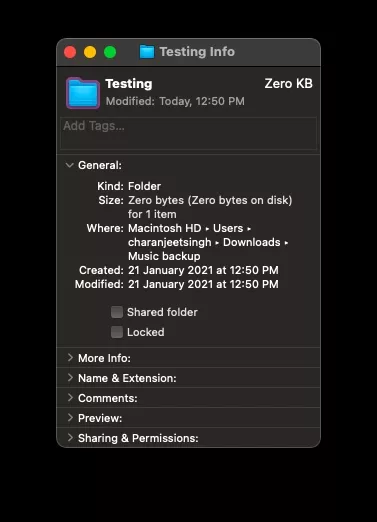
I am sure you must have created several folders on your MacBook, but do you know how to change folder icon on Mac? The reason why I ask this is that our brains can decode visual information 60,000 times faster than text. So it’s fine if you have given complex names to your folders to differentiate them from each other.
However, changing the folder icon on your Mac or even giving it a different color code can help you recognize a folder instantly. Also, don’t you get bored of the standard blue colored folders? While we are at it, let’s change the file icon on your Mac as well.
How to change the folder or file icon on your Mac?
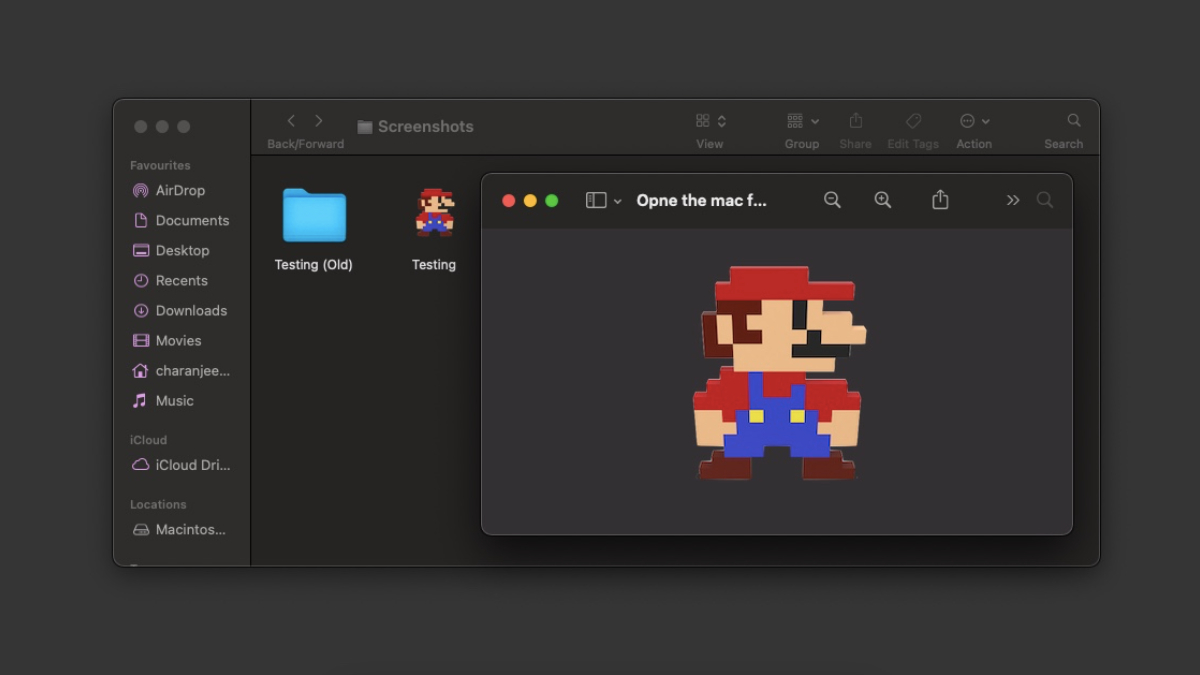
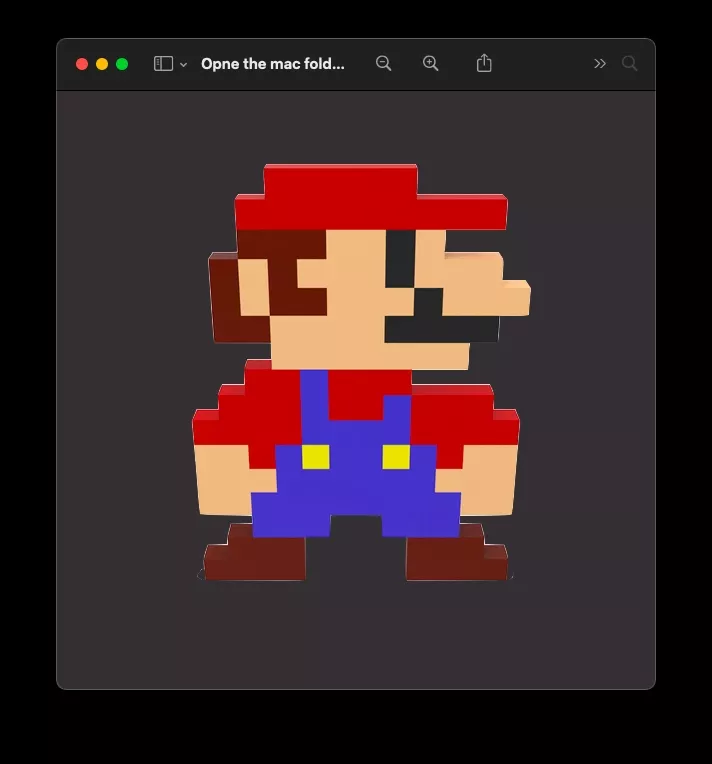
Download the image that you will use as the new folder or file icon.
Double click on it to open the image in Preview.
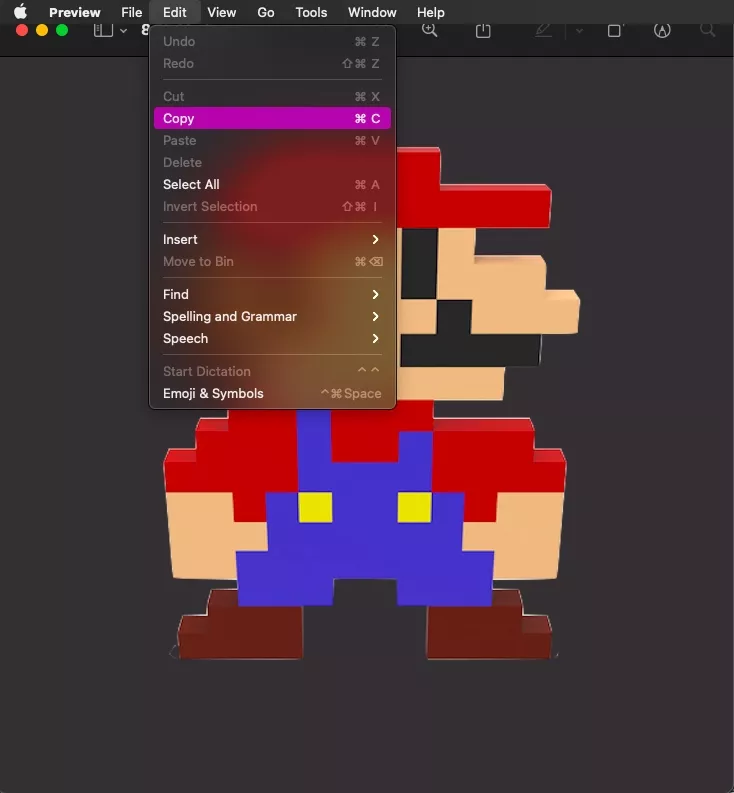
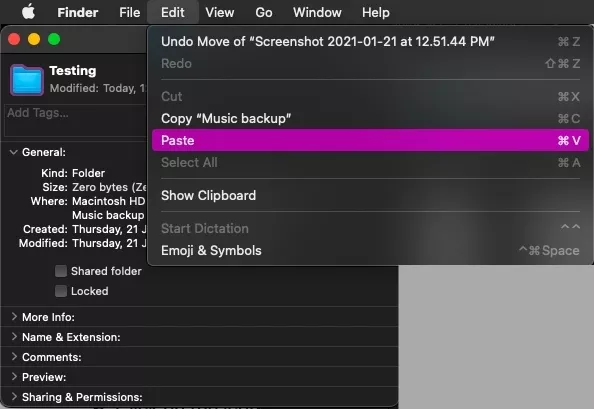
Go to Edit > Copy or press the keyboard shortcut Command-C to copy the image.
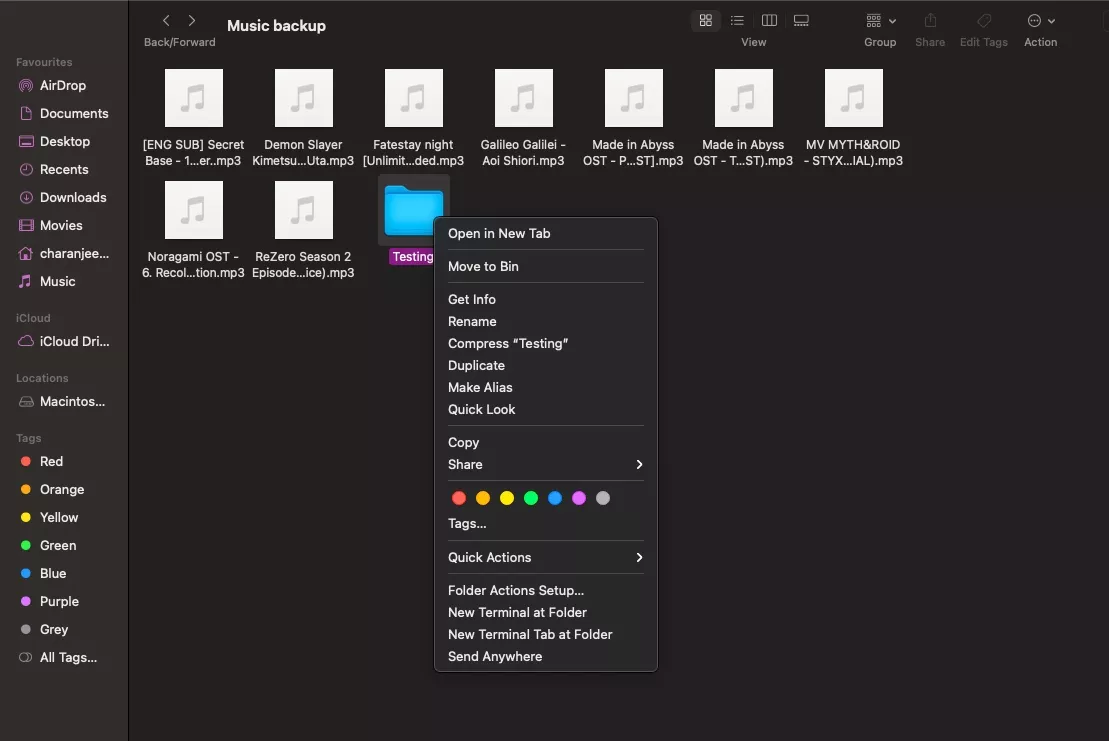
Go to Finder and select the folder or file whose icon you wish to change.
Right-Click on it and select Get Info.
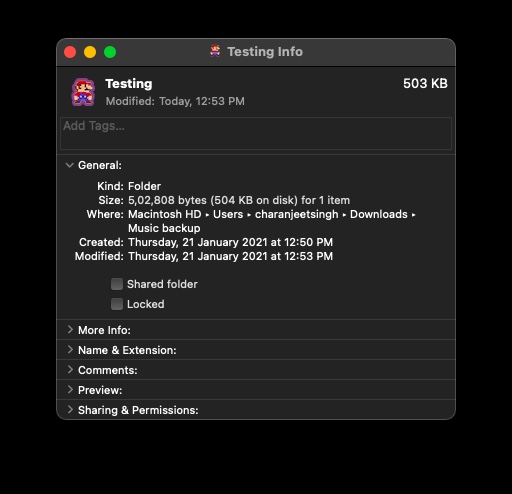
Click on the icon at the top left of the Info panel.
Go to Edit > Paste or Press the keyboard shortcut Command-V to paste the image.
If you have downloaded an .ics icon, you can simply drag and drop it on the folder or file icon in the Info panel.
Unfortunately, macOS doesn’t allow users to change icons of multiple files and folders simultaneously. But if you’re planning to do that, the easiest way would be to open multiple Info panels at once and start pasting the new icon image on top of the icons of every file or folder.
If you wish to change the folder icon color in Mac: Simply download the macOS default folder icon png image > Open it in Preview > Click to tools and then click on Adjust color > Save the image and follow the same How to change folder icon in Mac steps.
By downloading the macOS default folder icon png image, you can also revert the changes made to the folder icons in macOS.
The image can be of anything; it can be a photo of you as well. As for the image format, we would recommend downloading a PNG image. A JPEG image would also work, but having a PNG image means you can have a transparent background around the object in the image. However, the best one to use here would be an ICNS (Apple Icon Image format) image which is macOS’s own icon format.
That’s how one can change the icon of a file or folder in Mac. You can also use the same method to change the app icon on your Mac. Simply navigate to the Applications folder in the Finder and follow the above-mentioned steps.
A few weeks ago, JingLing Tech introduced JingOS, which created a lot of buzz in the Linux community as it claims to be the world’s first iPadOS-style Linux Distribution.
Based on its v1.0 Roadmap, JingLing Tech has now made the first version 0.6 of JingOS available for the public to try on their device.
However, developers also warn that JingOS v0.6 is a preview version, which is still not stable and lacks several functions like No Wi-Fi list to choose as you need to input Wi-Fi name and password to connect.
Hence, if you want a stable version of JingOS for a daily driver, you will have to wait for v0.8 or v1.0, which is scheduled to be released on March 31 and June 30, 2021, respectively.
What iPadOS-Inspired JingOS v0.6 Offers?
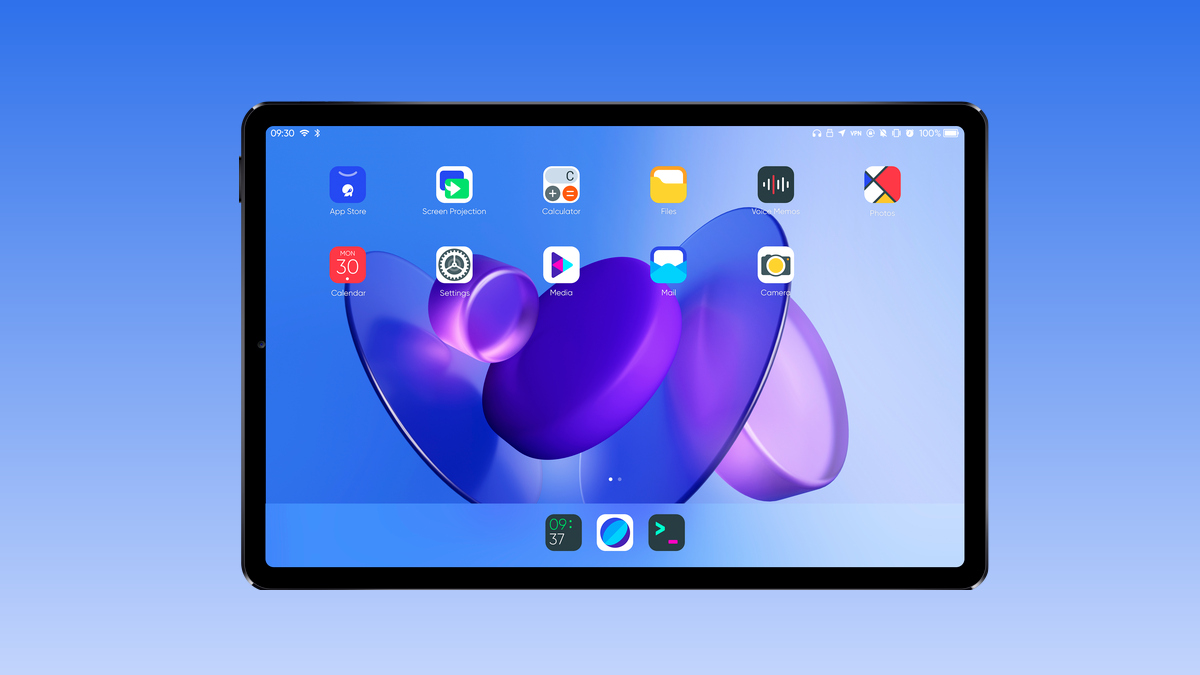
If you don’t’ know, JingOS is an Ubuntu 20.04-based operating system featuring JingOS desktop to give iPadOS-like UI and UX.
Speaking of functionality, the currently available v0.6 of this Linux Tablet-focused distro offers Lock Screen, Control Center, Notification Center, and Task Manager.
Since JingOS v0.6 is officially tested and compatible with Surface Pro 6 and Huawei Matebook 14 Touch Edition, it supports multi-touch gestures for Screen and Trackpad on both devices.
For the applications, you can currently install KDE apps like Dolphin File Manager and Konsole Terminal on JingOS from KDE App Store called Discover.
However, it also comes with native applications, which includes Photos, Voice Memos, Media Player, Calendar, and Calculator.
You can also install and run Linux desktop apps like VS Code, Telegram, Slack, WPS Office, and Chromium browser on JingOS.
Lastly, if you want to try out JingOS, you need to submit your email here and get the download link.
I am not going to preach to you the history of the Nintendo DS, nor will I try to validate your sudden urge to play the Nintendo DS. At this moment, I will get right to the point because I know why you are here.
You are here to play Pokemon DS: Nintendo DS exclusive Pokemon games that tie you to your past. Pokemon is why I like to have a Nintendo DS emulator for PC. You might want to play other Nintendo games such as Mario, The Legend of Zelda, Metroid Prime Hunters, etc.
Nevertheless, here are some of the best Nintendo DS emulators which will allow you to play Pokemon games on PC —
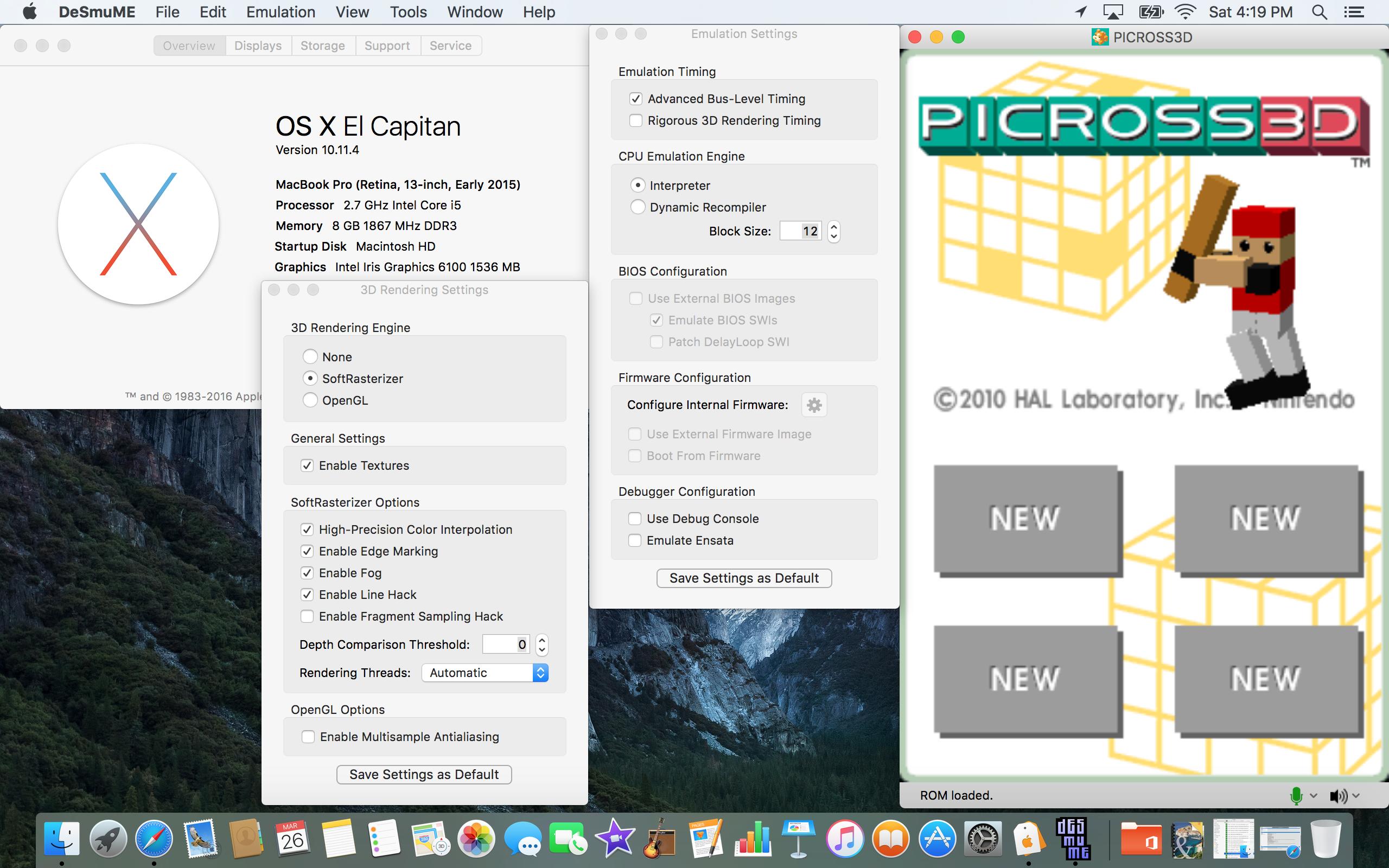
The name might be a little weird, and the pronunciation is even worse. But DeSmuMe is, in fact, one of the best DS emulators for PC (Windows and Mac). Before anything else, the main feature is that the emulator is constantly improving — thanks to being open-source.
DeSmuMe is available on Windows and Mac. Nintendo DS games run pretty smoothly on both platforms, however, I faced frame drops in my MacBook Air (2017 edition) while playing games on maximum graphics. Ultimately, the performance will depend upon the configuration of your PC.
On the bright side, you can do tons of customization in graphics and emulation settings. There are other additional useful features such as cheat code manager, and USB controller support. The NDS emulator also offers a save slot feature which enables you to continue the game from where you left off.
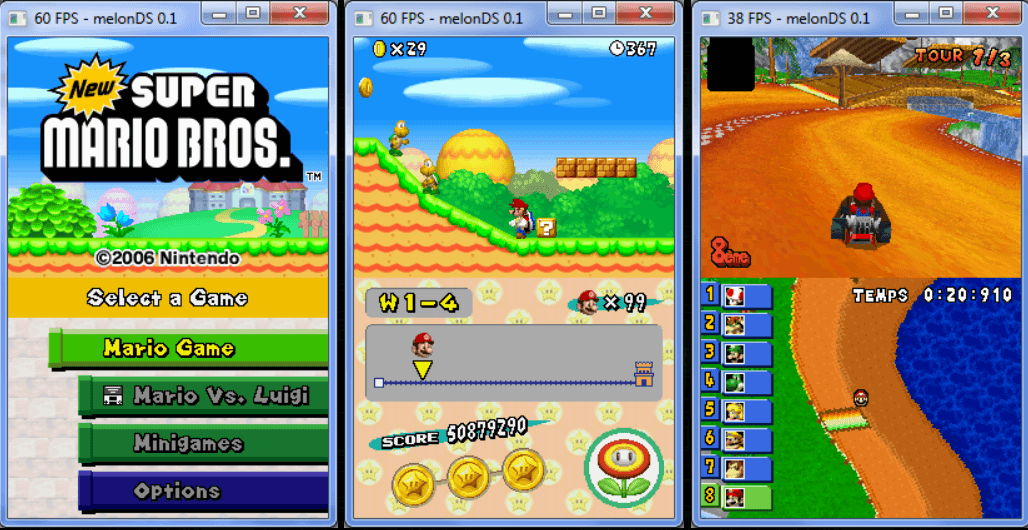
When we talk about the best Nintendo DS emulators for PC, MelonDS always manages to come up. This emulator has often been compared with the dominant NDS emulator DeSmuMe.
Unlike DeSmuMe, this emulator for PC lacks many of the emulation and graphic options, however, it excels in some areas such as the highly accurate rendering of DS games.
Thanks to its new OpenGL render, the Nintendo DS emulator allows you to tap into extreme resolutions even with medium performing systems and with the new JIT recompiler, Melon can do fast emulation. If you’re looking to play Pokemon games on PC, MelonDS is the perfect fit. It’s the best DS Emulator for Windows.
Another highlight feature of MelonDS is the local Wi-FI support for playing multiplayer games. Although the feature is experimental and works with only a few games, it gives immense pleasure to see it working at all. Apart from that, there is save slot option, a few screen layout options, and joystick support — common in other NDS emulators for PC.
Although NO$GBA started with emulating Gameboy advance games, it still ranks high up in the best Nintendo DS emulators for Windows. First thing first, a plus point with this DS emulator is that it supports GBA, Nintendo DS as well as Nintendo DS Lite (DSi) games.
In terms of graphic settings, the DS emulator only has a handful. But with a few tweaks in settings, one can get good game graphics comparable to DeSmuME. The compromise has a silver lining though — First, the Nintendo DS emulator works very fast, even on underperforming PC’s. Secondly, it takes very few system resources compared to the other best NDS emulators mentioned here.
However, the problem is the lack of screen layout features. Also, the multiplayer option is experimental and didn’t work in my case. The emulator is only available on Windows. Other than that, there is joystick support and the save state option. NO$GBA also has in-house cheat code support.
Unlike other Nintendo DS emulators here, RetroArch is an all-in-one emulator which allows users to play games of nearly all retro consoles. The idea is to have an amalgamation of several emulators (aka cores) in a single software.
In our case, RetroArch offers DeSmume and MelonDS for emulating NDS titles. Since it’s an all-in-one emulator, you can run games of all the Nintendo consoles (NES, SNES, DS, DSi, 3DS, 64), Atari, MAME, and more.
The user interface might be intimidating at first, but it gets pretty easier once you use it for a while. However, running games is relatively difficult as compared to the other Nintendo DS emulators here.
Apart from that, it has all the essential graphic and emulations options. You can increase the native resolution up to 4K and apply shaders that can drastically change the look of the games. There is joystick support, save slot option and different screen layout option.
A problem with RetroArch can be that it takes up more PC resources than others. But overall, it is still one of the best emulators for PC.
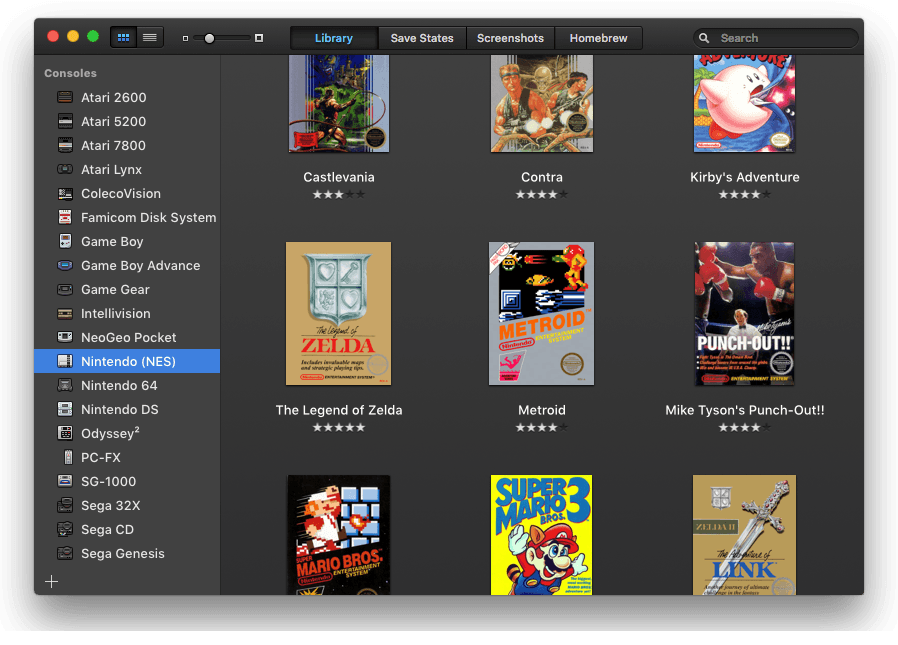
OpenEmu is another front end software for other console emulators. This emulator for PC isn’t much different from RetroArch in terms of supported consoles and emulation options.
However, the stunningly streamlined UI of OpenEmu makes it different from all the other emulators. If you are a Mac user, the interface will remind you of iTunes. For instance, the emulator shows box art for games and sort them by the platform. To play Nintendo DS games, OpenEmu comes with DeSmuMe emulator.
The lack of several graphics settings might upset a number of users. Also, I didn’t see the option to increase internal resolution in my testing. Everything else is pretty much there in the Nintendo emulator such as screen layout options, save states, cheat code support, etc. There is a huge list of controller support that includes DualShock, Switch Pro, Wiimote, and more. All in all, OpenEmu is one of the best DS emulators for mac.
Undoubtedly, Citra is the best Nintendo 3DS emulator to play Pokemon games on PC. Even with a mediocre system, you can run several 3DS titles at full graphics and high resolution.
The Nintendo 3DS emulator enables users to set internal resolutions up to 4K, which takes Pokemon games, and The Legend of Zelda gaming experience to a whole new territory. As for the titles, Citra’s official website has a section where you can look at the compatibility of Nintendo 3DS games with the PC emulator.
Back to the software — there is joystick support, screen layout options, and cheat code support. The Nintendo emulator offers an in-house screen recorder. Citra also emulates 3DS local Wi-Fi. In other words, you can play multiplayer with other people running games on the emulator.
Citra is also available on Android, making it the only working Nintendo 3DS emulator on Android.
Nitendo DS was a handheld gaming console, so it’s only natural that people are eager to play Nintendo DS games on Android. And so far, there has been no better DS emulator on Android than DraStic.
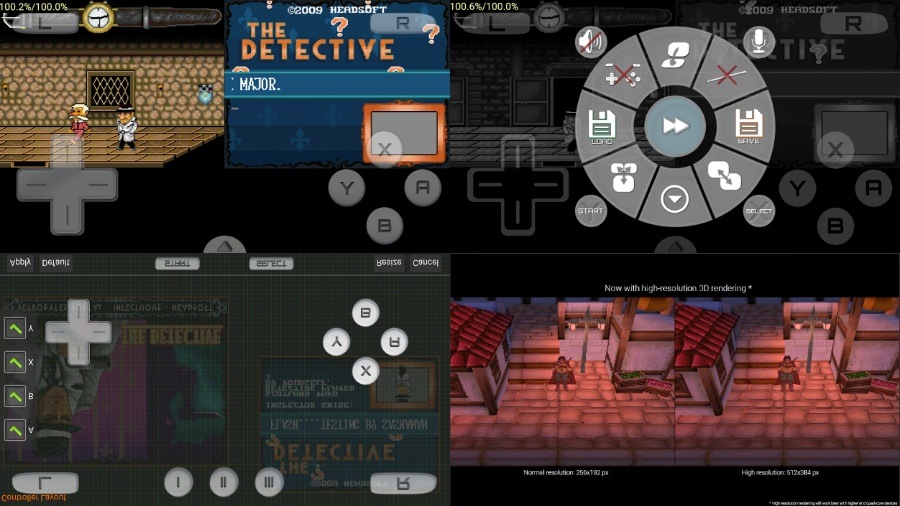
The app is no less than the DS emulators on PC when it comes to features. So, you have controllers support, save states, button mapping, etc. The app also allows you to increase the internal resolution. However, expect the best potential only on high configuration smartphones.
Since the smartphone screen dynamics are quite different from Nintendo DS (dual-screen), the app compensates by offering six different layout options. Other than the default view (both screens are equally large), there is a stacked view, a single view and an option for keeping one screen shorter than the other.
The only con with DrasTic is that it is a paid Android app, priced at $4.99. However, the price barely bothers considering the number of features.
Why use DraStic?
Online Google Drive space to save data
Increase emulation speed
Are Emulators even legal?
Emulators, yeah. ROMS, not so much. Emulators, of any kind, are merely software that emulates a game console. The situation is pretty much similar to torrent clients which themselves are not illegal, but downloading torrents is.
Similarly, emulators for PC are not illegal, but downloading and playing games on the same emulator is illegal. Although, there have been different viewpoints on the subject. However, we will go by the Nintendo official website which believes that making digitalized copies of retro NDS games is illegal, even though the company doesn’t produce DS games anymore and makes no money out of it.
Routine maintenance is not a necessity in Android, but it surely is a good idea to brush up your Android phone from time to time. That’s where Android cleaners come in. They can boost a device’s performance, enhance battery life, and get rid of junk files.
But do these Android cleaning apps really work? In some cases, they are helpful. For instance, cache files pile up over time and need to be cleared. Also, junk from ads and image thumbnails take up a lot of space.
Android cleaner apps do an excellent job of finding unnecessary files and helping you delete them. But using them for RAM cleaning is obsolete since newer versions of Android take good care of that.
If you are using a budget phone or an older phone whose performance has slowed down, take a look at this list of the best cleaner apps for Android in 2021.
10 Best Android Cleaner Apps 2021
SD Maid
Norton Clean
CCleaner
Files by Google
Droid Optimizer
Ace Cleaner
AVG Cleaner
Avast Cleanup & Boost
All-In-One Toolbox: Cleaner, Booster, App Manager
Cleaner for Android
1. SD Maid
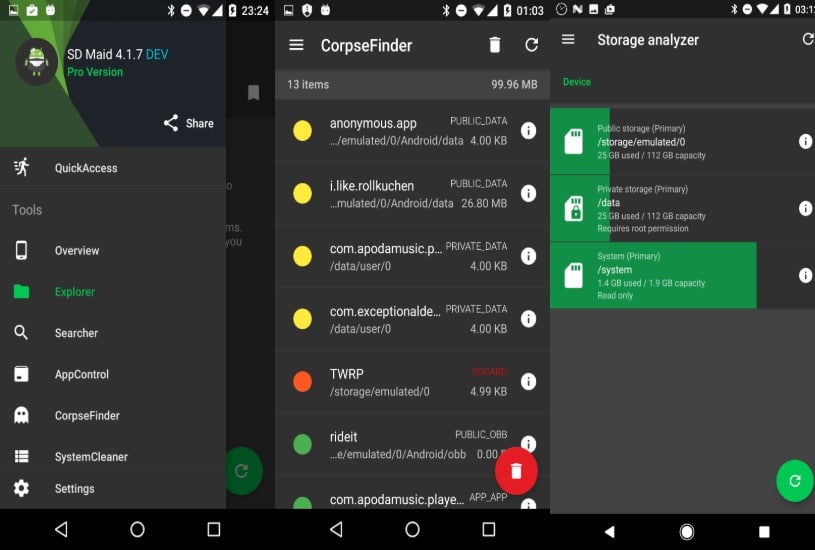
SD Maid is probably the most underrated phone cleaner app. The app is known for in-depth cleaning of junk files on Android.
For that purpose, it offers a wide range of tools to manage extra files. Once done with the cache, you can take care of duplicate files, files left by previously installed apps, manage current apps and more. It is also a brilliant device storage analyzer, giving users a detailed overview of the device’s storage. These widgets help in speeding up the cleaning process.
You can also schedule the cleaning process using this clearer app for Android. However, the Scheduler and a few other features are only available to SD Maid Pro users. While the user interface is clean and structured, it might take some time to get the hang of it.
Play Store Rating – 4.4 Downloads – Over 10 million
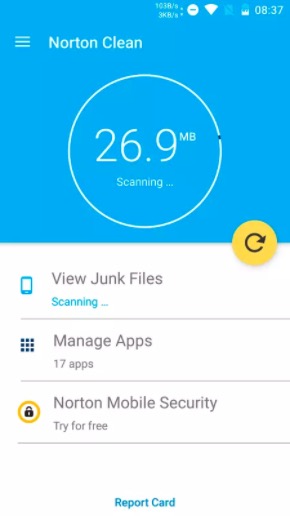
The Android phone cleaner app is developed by Norton, who is well-known in the security industry for its anti-virus products. It is one of the best android cleaner apps without ads. You can trust the cleaner app for its efficiency as well as for safeguarding user privacy.
Norton says it has analyzed the junk file behavior of millions of apps and therefore removes junk files with accuracy. The cleaner for Android looks for residual files left behind by deleted apps, cache files, and more. It also allows users to remove pre-installed apps. On top of that, you will get recommendations to delete apps that you rarely use.
All in all, Norton is one of the best phone cleaning apps since removing residual junk files will ultimately give you a performance boost.
Play Store Rating – 4.6 Downloads – Over 5 million
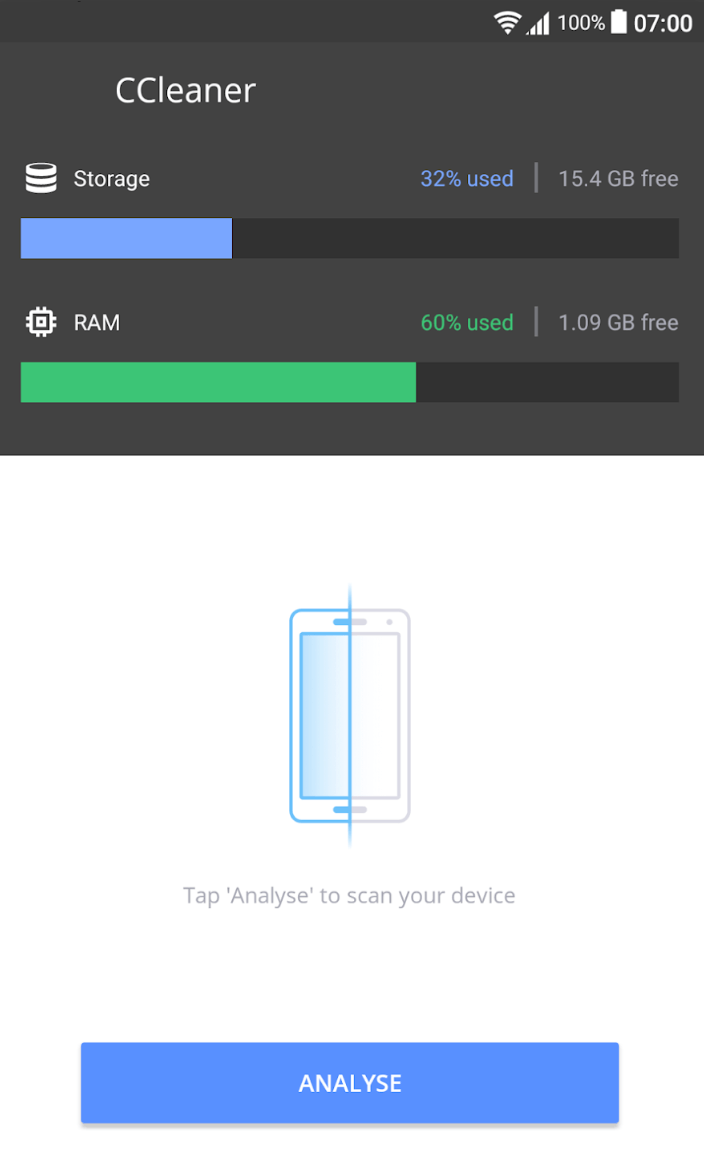
The phone cleaning app not only does wonders for Android but also for Windows 10 PCs and macOS. You can remove junk, clean your phone’s RAM, and reclaim more space using CCleaner. It’s one of the best free cleaners for Android.
It gives you the option to uninstall multiple applications at once. The Storage Analyzer feature gives you a better idea of how the space on your smartphone is being used.
Apart from the essential cleaning functions, CCleaner for Android also features a system monitoring tool. It lets you keep an eye on the CPU usage of different apps, the RAM being consumed by apps, and the device’s temperature levels.
While it’s a great cleaning app for Android, CCleaner has also been criticized for annoying users with intrusive ads and once collecting user’s data without their consent.
Play Store Rating – 4.7 Downloads – Over 50 million
Best features of CCleaner
The new update manages system permissions in a better manner
System analyzer provides extra benefits
Options to check the individual impact of each app on storage
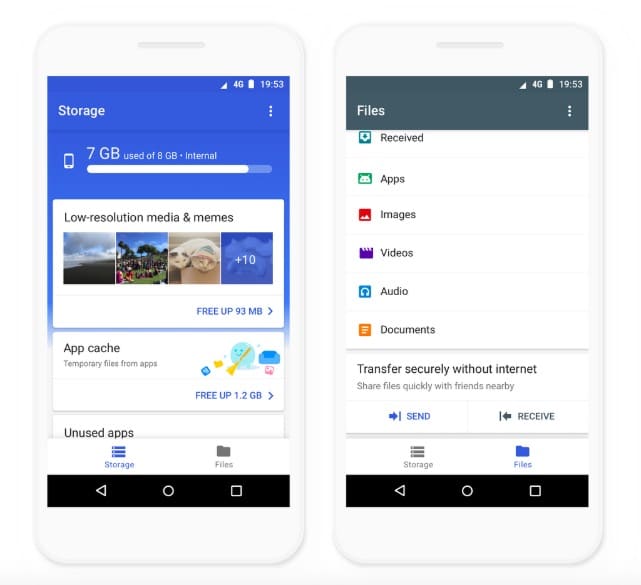
Files by Google is an easy-to-use trusted phone cleaner app for Android users. While cleaning junk files, the app recommends users to delete old memes, photos, unused apps, and a lot more.
The best part about File by Google is that it’s primarily a file manager and offers a fast offline file-transfer service, making it the perfect all-rounder. On top of that, there are no ads. In other words, it’s the best android cleaner app without ads.
It has a friendly interface that helps users manage their files and folders. But going back to cleaning, the app sends useful suggestions for files to erase before users run out of space. However, you might feel the lack of certain cleaning features compared to the other best Android cleaner apps mentioned here.
Play Store Rating – 4.6 Downloads – Over 500 million
Special Features of Files By Google
Smart recommendations for cleaning files
Also, a file manager that offers a fast offline file-transfer service
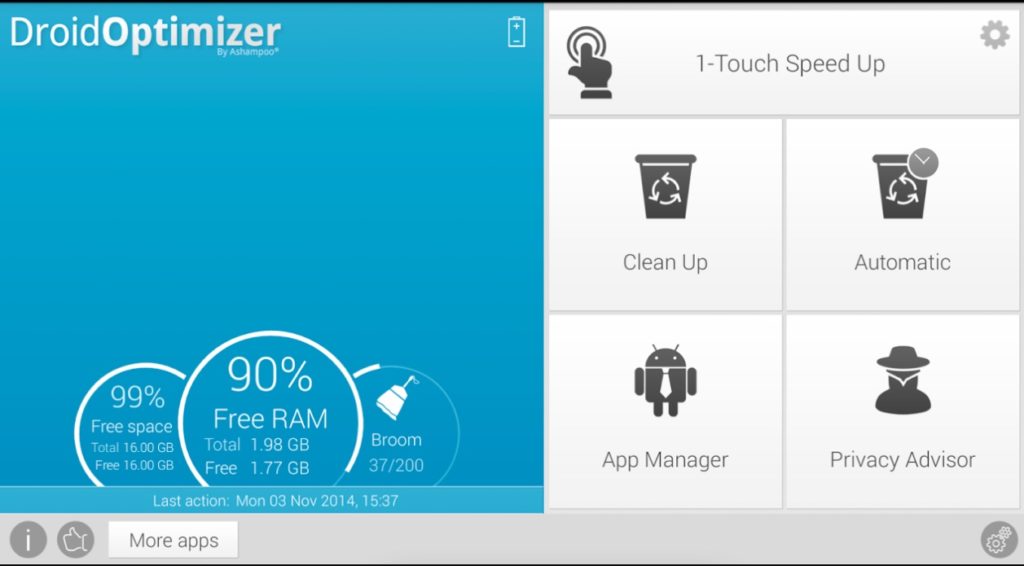
Droid Optimizer is one of the oldest and most lightweight cleaner apps for Android. While the UI may look a little old, it does a brilliant Android cleaning job on most smartphones. The app also features a dark theme, if you’d prefer that way.
The Android app has a dashboard on the front detailing the RAM as well as the free space left. While cleaning your Android, you can terminate the background process with one tap. You can also set up the app on auto clean up.
The best part about the app is that you can also look at apps that may have been given sensitive permissions. Also, the app is ad- free.
Overall, Droid Optimizer is one of the best cleaner apps for Android that you can use in 2021.
Play Store Rating – 4.4 Downloads – Over 1 million
Special Features of Droid Optimizer
Check which Android apps have critical permissions
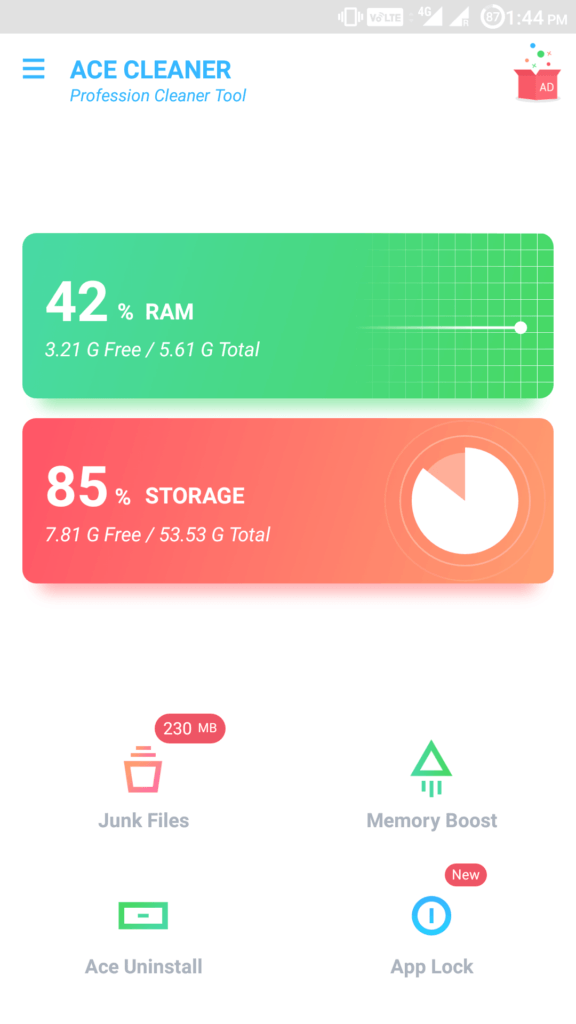
A simple but effective Android cleaner app, Ace Cleaner can give you a new experience in phone optimization. With its highlighting features like Ace Clean, Ace Boost, Quiet Notification, Battery Saver, and CPU Cooler, the Ace Cleaner can boost and maximize your phone’s performance.
It has a fantastic duplicate photo cleaner that can find similar photos in your storage and gives you the option to delete them, to retain your favorites and clean up space. With multiple features and an intuitive UI, it’s easily the best android cleaner of 2021.
Play Store Rating – 4.6 Downloads – Over 10 million
AVG Cleaner is another one of the best Android cleaner apps you can try. Apart from cleaning junk, it also acts as a file manager, a memory booster and an intelligent photo analyzer that removes bad quality or duplicate photos.
The cleaner app analyses the apps that are putting a toll on the battery and asks you to either stop them or remove them, depending upon your usage. Within the app, you can easily kill background apps, thus improving the device’s performance. Aside from that, the cleaner app also has battery saver options.
The best part is the app analytics which gives you a brief on how the app is draining battery and your usage analytics. Ads can be a little annoying, however overall it’s a great phone cleaner app.
Play Store Rating – 4.6 Downloads – Over 50 million
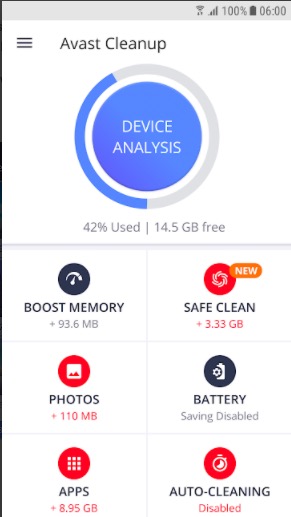
Avast is another one of the top brass antivirus providers that also has a cleaner app for Android users. In terms of features, the app is pretty similar to AVG cleaner as it has a photo analyser, and an option to hibernate apps.
That being said, there are a few unique things about the app such as the integration of cloud storage and safe cleaning. You can also optimize the size of the images under the photo optimizer, however this feature is only available to paid users. If you are serious about getting rid of junk files, then Avast is the best cleaner app for Android in 2021.
Play Store Rating – 4.7 Downloads – Over 50 million
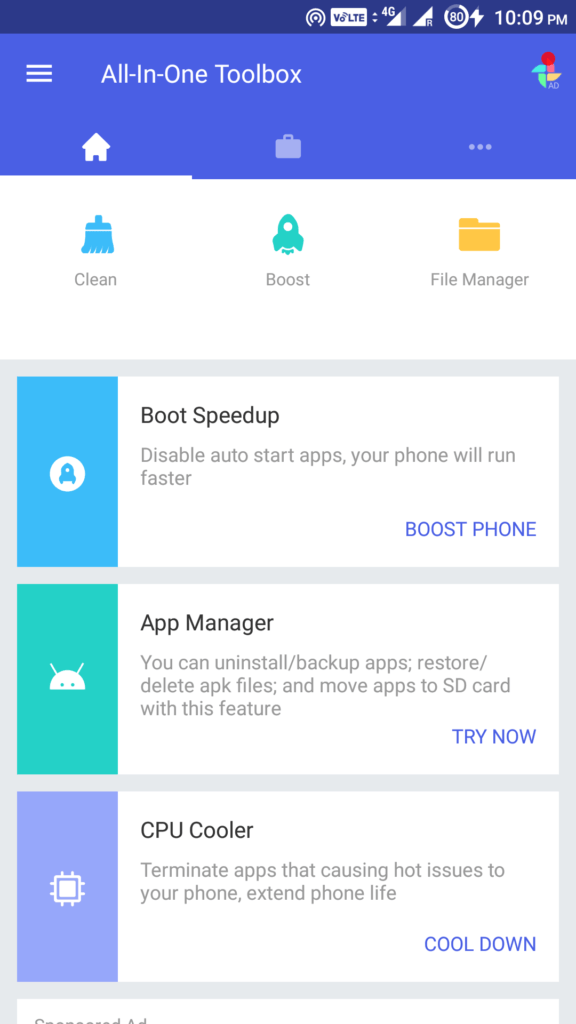
All-In-One Toolbox, as the name suggests, is a multi-purpose Android cleaner app that is capable of handling a lot more than just clearing up junk files. The app has more than 30 tools to increase the productivity of your smartphone. It has a system app uninstaller that works even without root. Boot Speedup is a feature that lets you choose which apps (including system apps) should start when you restart your phone.
The app manager comes with options for batch uninstalling or installing apps and moving apps from phone memory to removable storage. All-In-One Toolbox aims to bring you a faster, cleaner interface and is easily the best free cleaner for Android.
Play Store Rating – 4.5 Downloads – Over 10 million
Special Features of All-In-One Toolbox
Photo compressor to reduce the space occupied by high-resolution pictures
Phone hardware info checker
Feature to identify large files stored on your device
The powerful virus cleaner for Android comes with a plethora of cleaning features. It can remove cache, boost RAM and run periodically without user intervention. Systweak’s battery saver feature can close background apps that are not being used and also show device temperature.
The best cleaner app for Android comes with an app manager that can display apps that you no longer use. You can view and delete hidden files on your device.
Additionally, you can also backup and share your files from the app. Also, the Android cleaner features a junk remover, duplicate file remover, app hibernator, etc. to get the most out of your device.
Play Store Rating – 4.3 Downloads – Over 1 million
Special Features of Systweak
WhatsApp Module for viewing WhatsApp media files in one place
Notification module for shutting down notifications from certain apps
Option to view, archive, rename and delete hidden files
You can clear cache in Android by using an Android cleaner app. You can also do it manually by going into the Android storage settings or clearing the cache of a particular app under the app management settings.
How to speed up your Android device?
The best way to speed up your Android device is to delete cache and junk files. Again, you can do it manually or with the help of an Android cleaner.
Do you need an Android cleaner app?
There is nothing an Android cleaner does that you can’t do manually. That being said, it does make the process easier.
What is the best cache cleaner app for Android?
We believe FilesGo is one of the best cache cleaners since it doesn’t have in-app ads and offers an easy-to-use interface. On top of that, it comes installed on certain devices so one doesn’t require a third party app to remove junk.
How do I free up RAM on my Android device?
There are multiple ways to clear the RAM on an Android device —
– Killing background processes from the recent app menu
– “Force stop” apps in Android settings.
– Disabling animations and setting background process limits in Developer settings.
How do I free up space on my Android device?
Use the File Manager app to see which unwanted files are taking up space on your Android device. Delete them manually or use any Android cleaner app.
What happens when you clear the cache on your phone?
Clearing the cache removes temporary files that are used to load things faster. However, on the bright side, it clears up the storage as well.
Did you find this list of Android cleaner apps for 2021 to be helpful? Share your reviews in the comments section below.
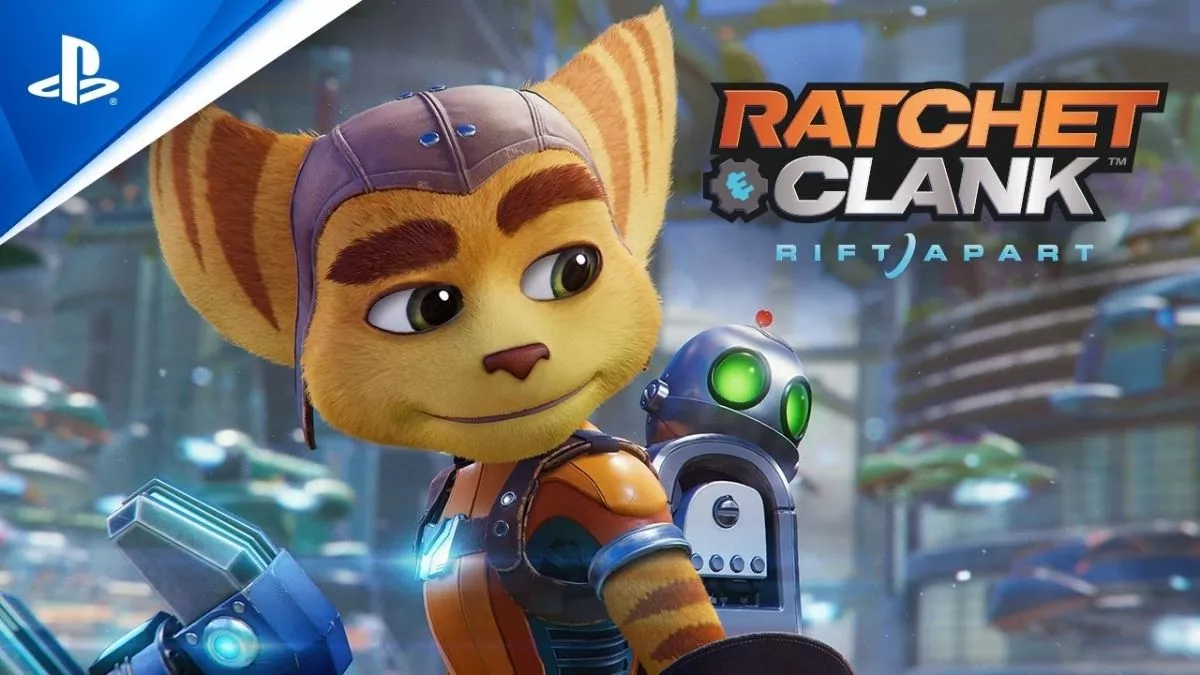
Developed by Insomniac Studios, Ratchet & Clank: Rift Apart is an upcoming third-person shooter game. Sony Interactive announced the title in June 2020 during PlayStation 5 event. Since then, fans are desperately waiting for the release of Ratchet and Clank: Rift Apart.
When it comes to upcoming games in 2021, Ratchet & Clank: Rift Apart is one of the most awaited titles. That’s why players are eager to get some information about the game. Well, in this post, we’ve mentioned everything you need to know about Ratchet and Clank Rift Apart. So, let’s get started.
Ratchet And Clank Rift Apart Release Date
Insomniac Studio’s Ratchet & Clank Rift Apart will release in 2021. However, as of now, there is no particular release date for the game. Sony intends to release the game in the first half of 2021, so we might get the official release date pretty soon.
Platforms: Is Ratchet And Clank Rift Apart Coming On PS4?
Insomniac Studios confirmed that its upcoming title, Ratchet & Clank Rift Apart, will be exclusive to PS5. So, unfortunately, PS4 owners won’t get to play the game.
Story: Is Ratchet & Clank Rift Apart A Sequel?
Insomniac Studios confirmed that Ratchet And Clank Rift Apart is a sequel to 2016’s Ratchet And Clank: Into The Nexus. However, Rift Apart is also a standalone title, which means players who didn’t play Into The Nexus can still enjoy the upcoming title.
In Ratchet & Clank: Rift Apart, players will fast travel between different locations through portals. Ratchet, along with his robot, Clank, will hop to different worlds and realities to defeat the enemy, Dr. Nefarious, who wants to destroy life.
Gameplay
In Ratchet & Clank Rift Apart, players will jump through from one location to another through portals. These portals will let players ambush the enemies more quickly. Moreover, using the portals, players can get out of a situation if things get overwhelming.
However, sometimes, players will hop into a strange and unfamiliar dimension before getting back to the right planet. In short, Ratchet And Clank Rift Apart will be full of small and grand surprises.
Interestingly, players will get various futuristic weapons to get rid of anyone who’s standing in the way. The weapons wheel, similar to GTA 5, will let players switch between different weapons.
Pre-Order
Right now, the release date for Ratchet & Clank hasn’t been confirmed. So, you can’t pre-order the game as of now. However, we’ll update this post as soon as the Ratchet And Clank Rift Apart Pre-order is available.
That’s all we know about Ratchet and Clank: Rift Apart as of now. We’ll update this article if we get some new information on the development of the game.